> ## Documentation Index
> Fetch the complete documentation index at: https://docs.qcall.ai/llms.txt
> Use this file to discover all available pages before exploring further.
# Zeplo Integration
> Connect QCall AI with Zeplo to send WhatsApp messages via templates during and after calls.
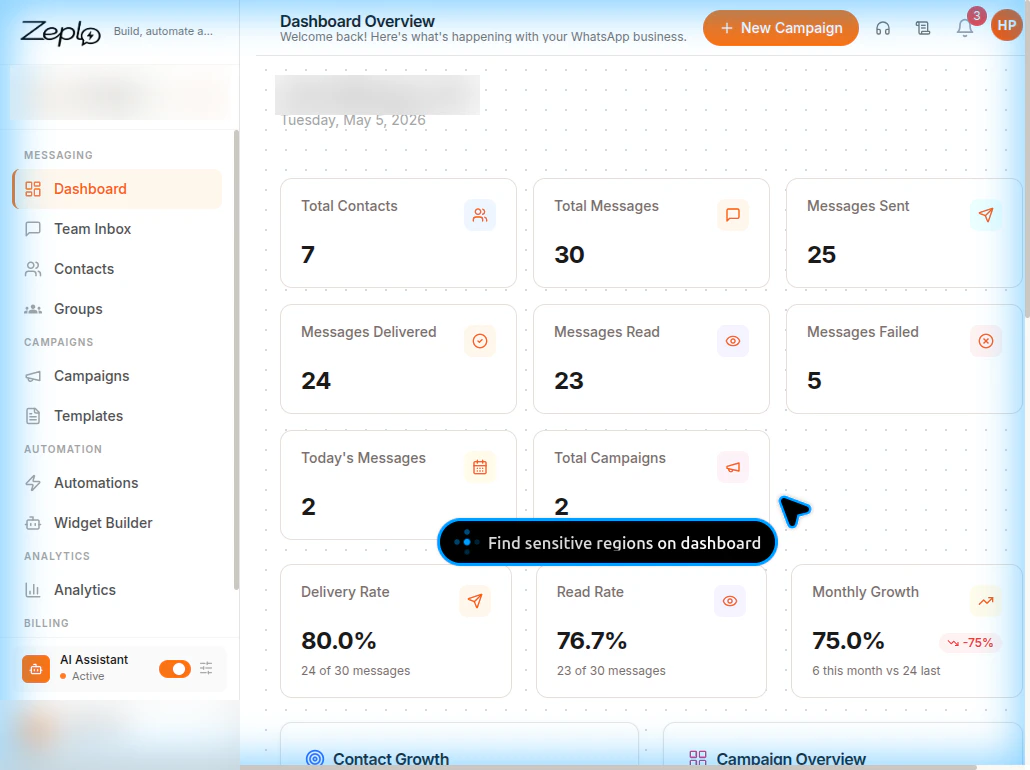
## Zeplo — WhatsApp Messaging for QCall AI
Zeplo is a WhatsApp marketing and messaging platform that integrates with QCall AI to send automated WhatsApp messages during your AI-powered call workflows. With Zeplo, you can:
* Send **WhatsApp template messages** automatically when a call ends
* Send WhatsApp messages when a call is **not answered**
* Use **AI-powered parameter extraction** to personalize messages with data from the conversation
* Support **authentication (OTP)** templates, marketing, and utility templates
* **Test templates** before deploying them in production
 ## Prerequisites
Before setting up Zeplo integration, ensure you have:
1. A **Zeplo account** with an active WhatsApp Business channel connected
2. At least one **WhatsApp message template** created and approved in Zeplo
3. An **API Key** and **API Secret** generated from Zeplo's settings
## How It Works
QCall AI uses three credentials from your Zeplo account:
| Credential | Description | Where to Find |
| -------------- | -------------------------------- | -------------------------------------------- |
| **API Key** | Authenticates API requests | Zeplo Dashboard → Settings → API Key Setting |
| **API Secret** | Secret key paired with API Key | Created alongside the API Key |
| **Channel ID** | Identifies your WhatsApp channel | Zeplo Dashboard → Settings → Channel Setting |
When configured, QCall AI can:
1. **Fetch templates** — Automatically load your approved WhatsApp templates from Zeplo
2. **Extract parameters** — Parse template placeholders (`{"{{1}}"}`, `{"{{2}}"}`, etc.) and present them for AI hints
3. **Send messages** — Trigger WhatsApp messages at the end of calls or when calls go unanswered
4. **Handle OTP** — Automatically replicate OTP values across body and button for authentication templates
## Required Keys for Assistant Setup
When creating an assistant with a **Send Message** action, you need these Zeplo fields:
| Key | Required | Description |
| ------------------- | ------------ | ------------------------------------------------------------------------------------------------------------- |
| **API Key** | Yes | From Zeplo → Settings → API Key Setting. Used to authenticate all API requests. |
| **API Secret** | Yes (create) | Created alongside the API Key. Only shown once — save it securely. Not required when editing existing config. |
| **Channel ID** | Yes | UUID identifying your WhatsApp channel. From Zeplo → Settings → Channel Setting. |
| **Zeplo Template** | Yes | An approved WhatsApp template selected in the Send Message action. |
| **Parameter Hints** | Yes | One hint per template placeholder, telling the AI what value to extract. |
| **Condition Text** | Yes | Describes when to trigger the WhatsApp message (e.g. "after order placed"). |
The **API Key**, **API Secret**, and **Channel ID** are configured once in **Integrations → Zeplo**. The **Template**, **Parameter Hints**, and **Condition Text** are configured per assistant Send Message action.
## Setup Overview
Follow these guides to get started:
1. [Step-by-step Zeplo Setup](/general/integrations/zeploSetup) — Create your Zeplo account and generate API credentials
2. [Zeplo Template Configuration](/general/integrations/zeploTemplates) — Configure templates and parameter hints in QCall AI
## Prerequisites
Before setting up Zeplo integration, ensure you have:
1. A **Zeplo account** with an active WhatsApp Business channel connected
2. At least one **WhatsApp message template** created and approved in Zeplo
3. An **API Key** and **API Secret** generated from Zeplo's settings
## How It Works
QCall AI uses three credentials from your Zeplo account:
| Credential | Description | Where to Find |
| -------------- | -------------------------------- | -------------------------------------------- |
| **API Key** | Authenticates API requests | Zeplo Dashboard → Settings → API Key Setting |
| **API Secret** | Secret key paired with API Key | Created alongside the API Key |
| **Channel ID** | Identifies your WhatsApp channel | Zeplo Dashboard → Settings → Channel Setting |
When configured, QCall AI can:
1. **Fetch templates** — Automatically load your approved WhatsApp templates from Zeplo
2. **Extract parameters** — Parse template placeholders (`{"{{1}}"}`, `{"{{2}}"}`, etc.) and present them for AI hints
3. **Send messages** — Trigger WhatsApp messages at the end of calls or when calls go unanswered
4. **Handle OTP** — Automatically replicate OTP values across body and button for authentication templates
## Required Keys for Assistant Setup
When creating an assistant with a **Send Message** action, you need these Zeplo fields:
| Key | Required | Description |
| ------------------- | ------------ | ------------------------------------------------------------------------------------------------------------- |
| **API Key** | Yes | From Zeplo → Settings → API Key Setting. Used to authenticate all API requests. |
| **API Secret** | Yes (create) | Created alongside the API Key. Only shown once — save it securely. Not required when editing existing config. |
| **Channel ID** | Yes | UUID identifying your WhatsApp channel. From Zeplo → Settings → Channel Setting. |
| **Zeplo Template** | Yes | An approved WhatsApp template selected in the Send Message action. |
| **Parameter Hints** | Yes | One hint per template placeholder, telling the AI what value to extract. |
| **Condition Text** | Yes | Describes when to trigger the WhatsApp message (e.g. "after order placed"). |
The **API Key**, **API Secret**, and **Channel ID** are configured once in **Integrations → Zeplo**. The **Template**, **Parameter Hints**, and **Condition Text** are configured per assistant Send Message action.
## Setup Overview
Follow these guides to get started:
1. [Step-by-step Zeplo Setup](/general/integrations/zeploSetup) — Create your Zeplo account and generate API credentials
2. [Zeplo Template Configuration](/general/integrations/zeploTemplates) — Configure templates and parameter hints in QCall AI