> ## Documentation Index
> Fetch the complete documentation index at: https://docs.qcall.ai/llms.txt
> Use this file to discover all available pages before exploring further.
# Generate x-api-key
### Here are the steps to generate an x-api-key.
✔ Step 1 : Open the QCall Ai
dashboard.
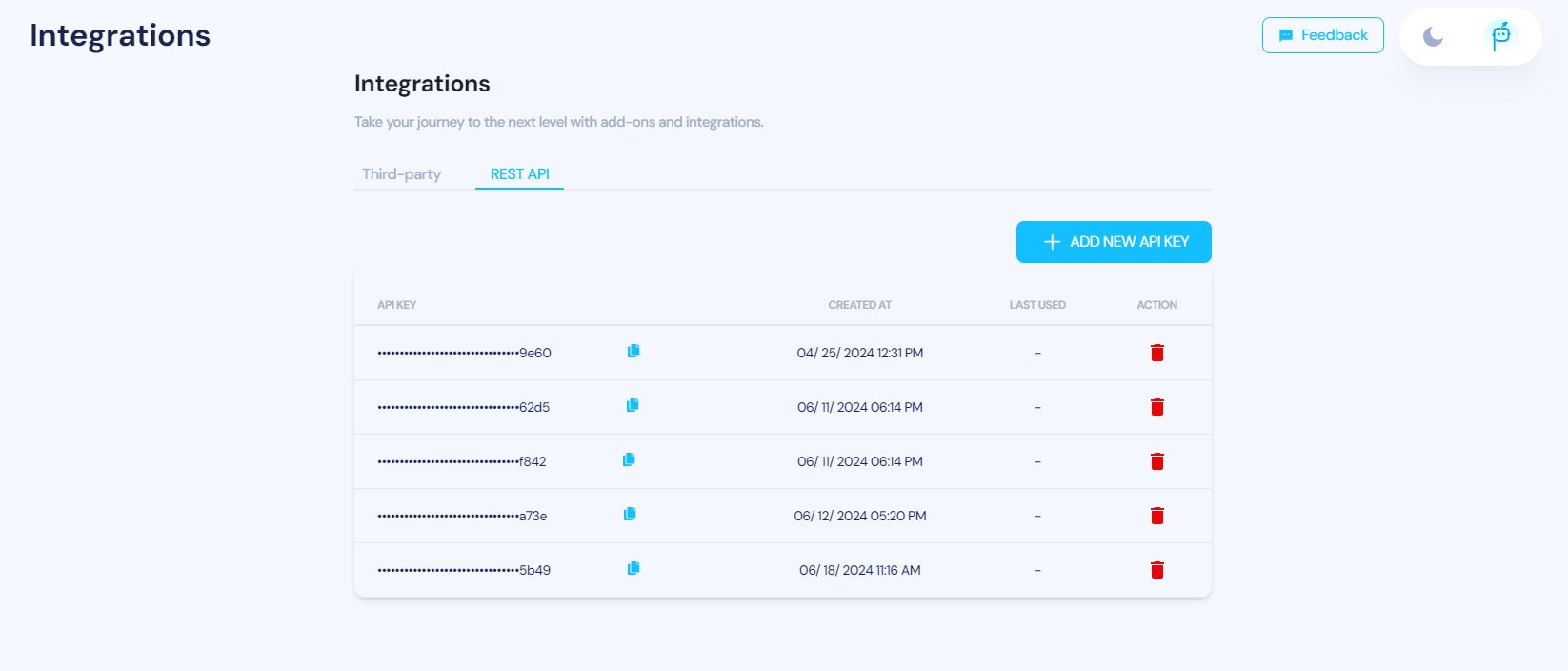
✔ Step 2 : Click on the QCall Ai logo in the top right corner.
✔ Step 3 : Select the "Integrations" option.
✔ Step 4 : Click on "Rest API".
✔ Step 5 : Add a new API Key.
✔ Step 6 : Your new x-api-key will be displayed, which you can then copy and use as needed.